

Video Splitter: Split & Cut
Split Long Videos into Equal Clips
Screenshots
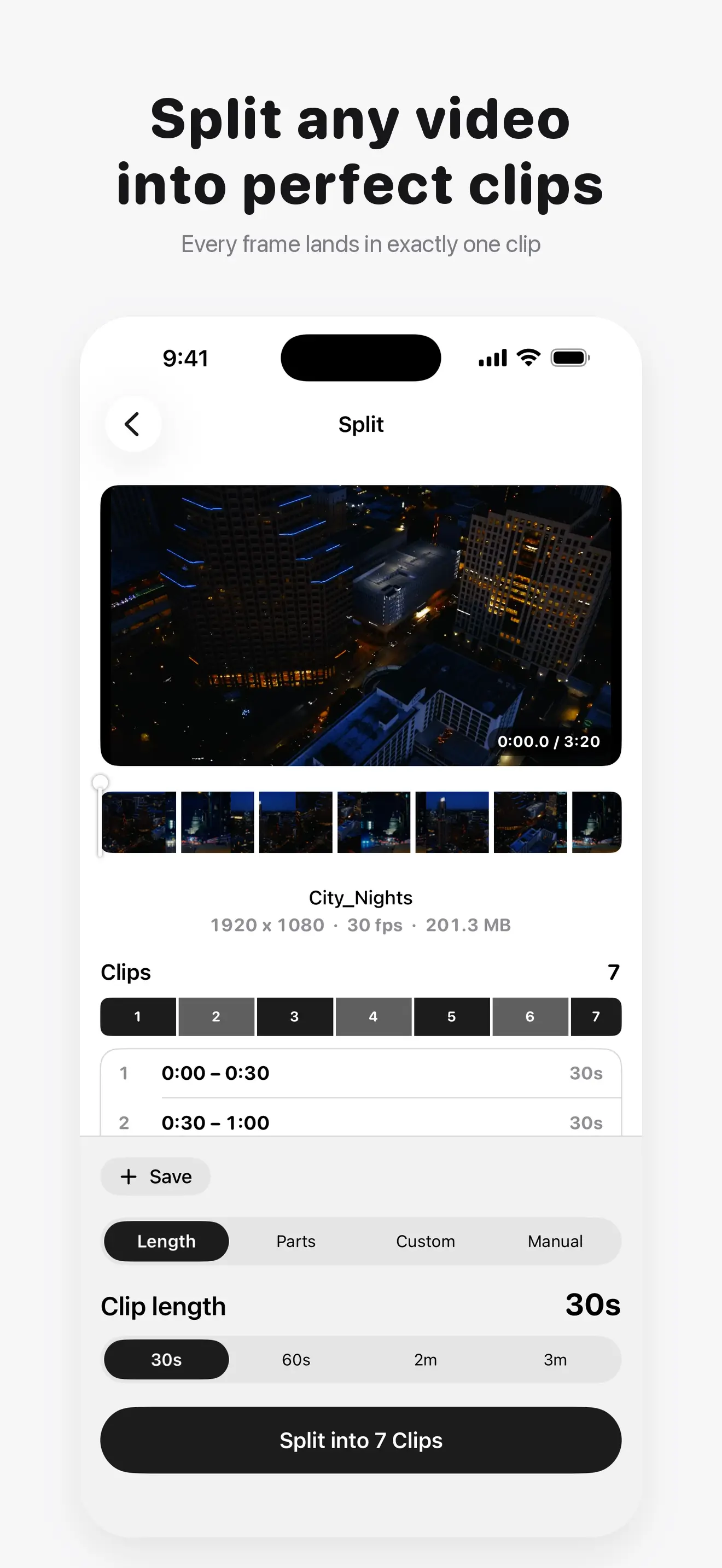
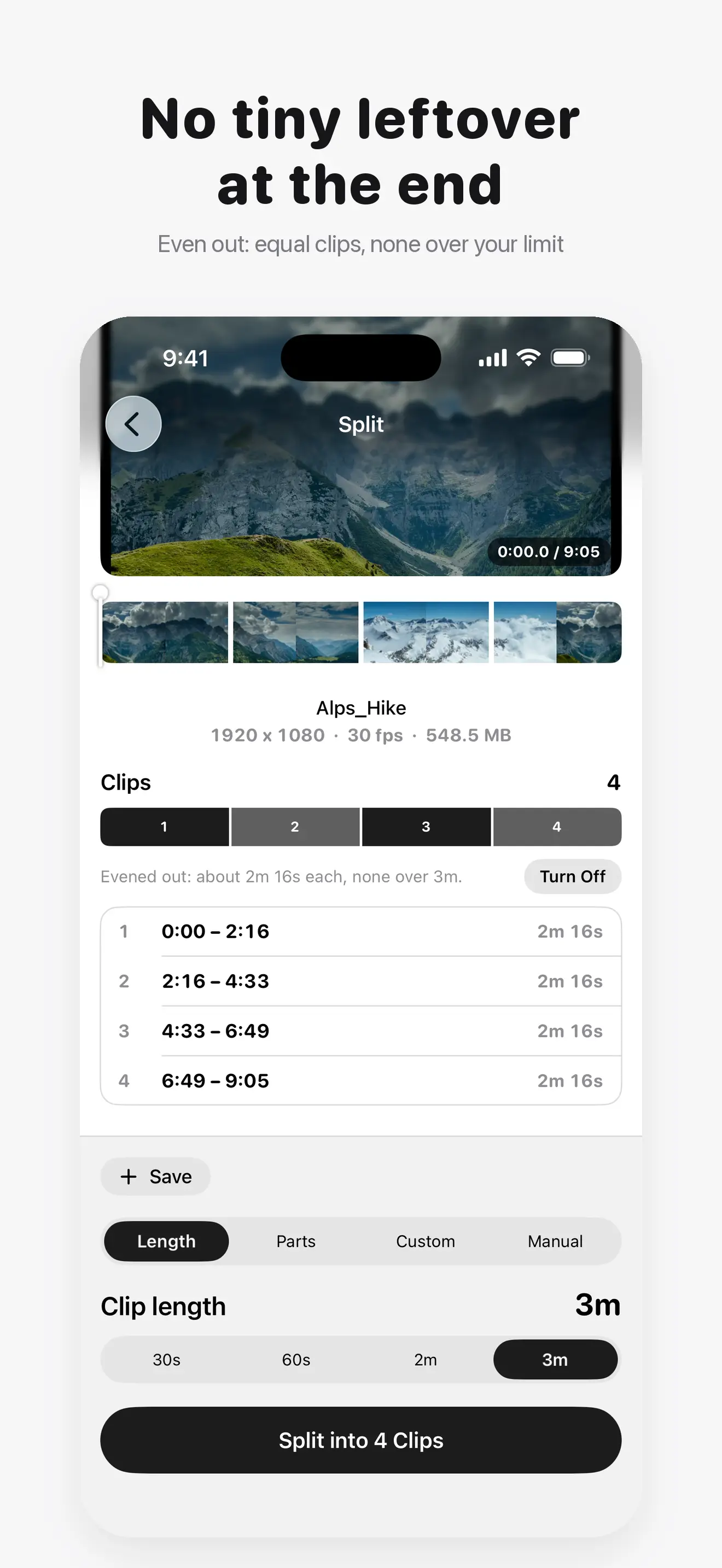
Video Splitter: Split & Cut splits any long video into clips of the length you need, such as 60 seconds for a story or 3 minutes for a post, or into a set number of parts. Every frame lands in exactly one clip, and every clip keeps the original quality. Everything runs 100% on device.
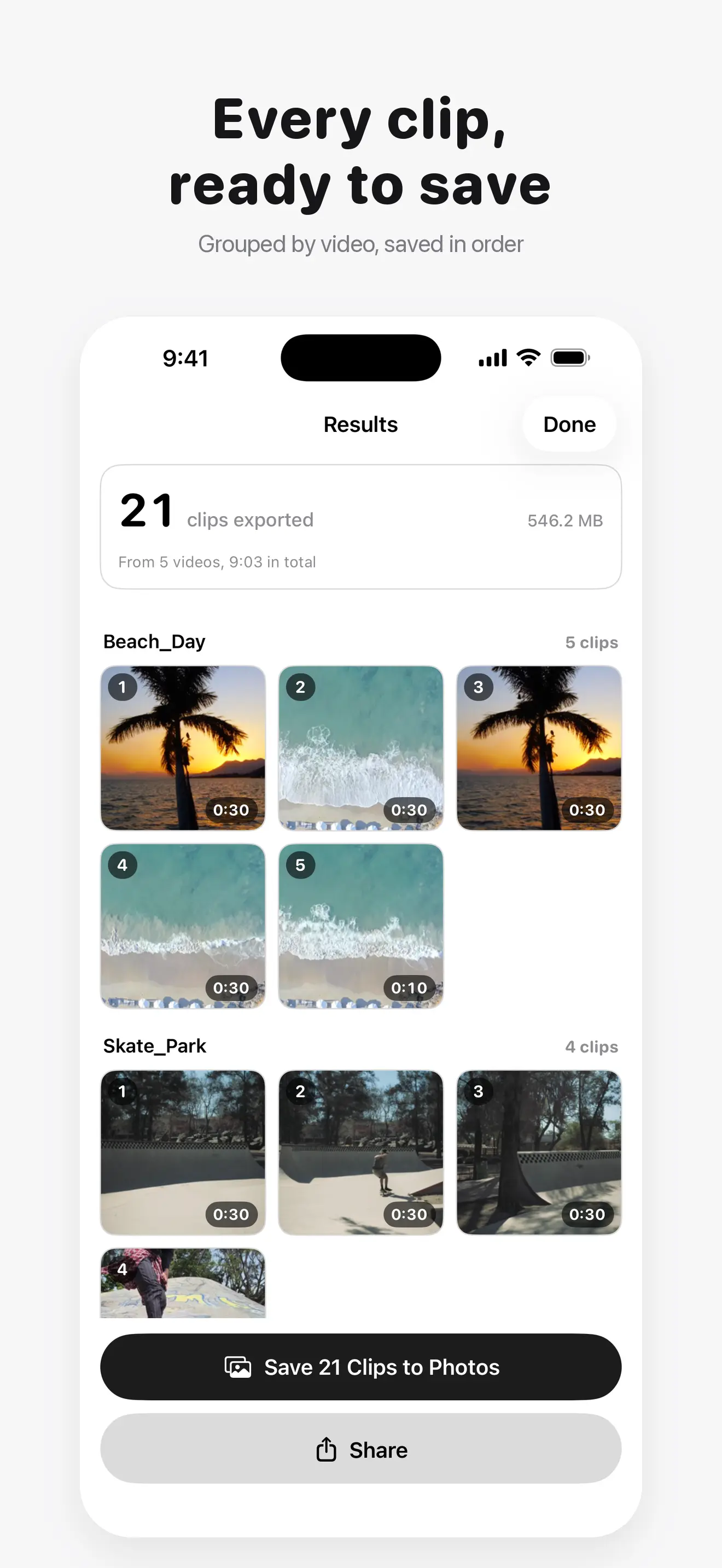
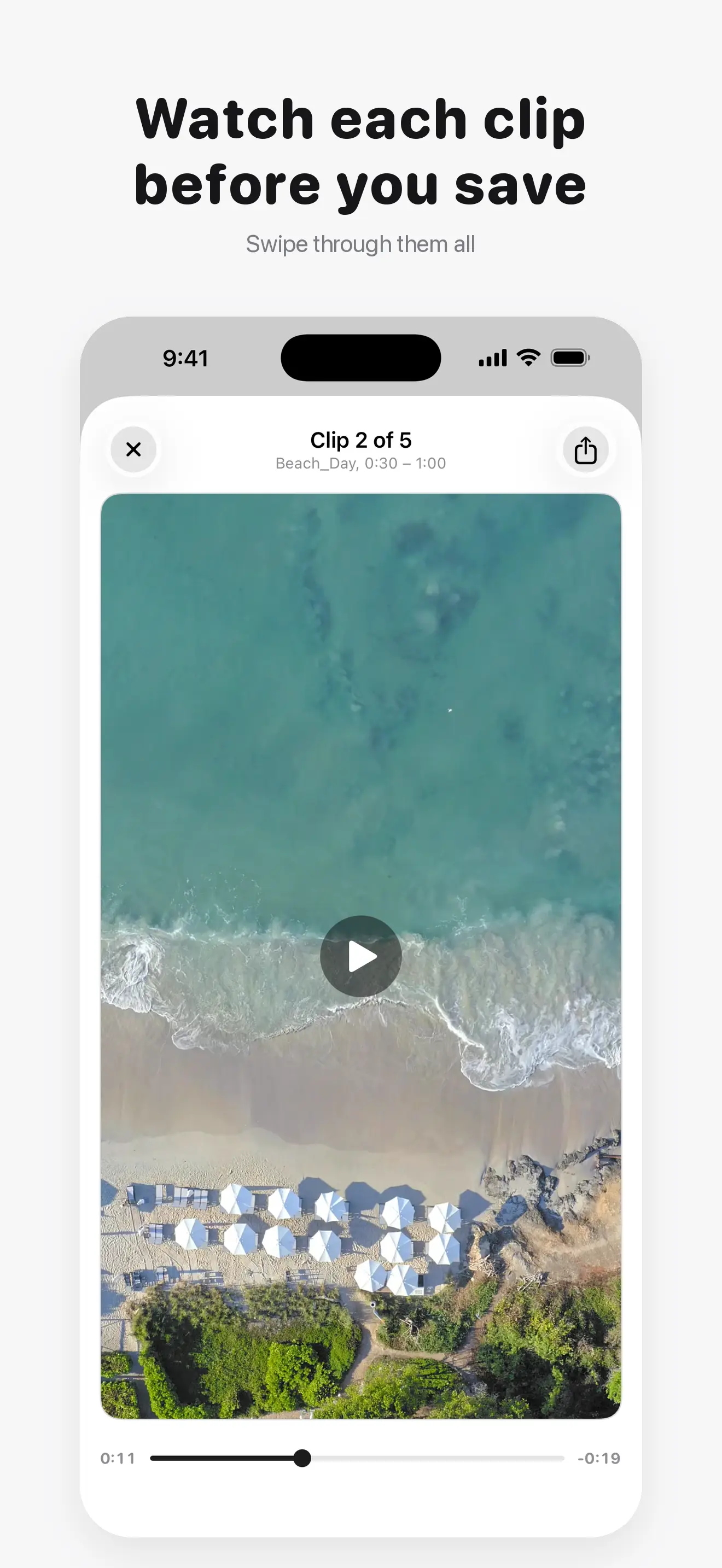
A fixed length usually leaves a tiny leftover at the end. Turn on Even Out and the app splits the video into equal clips instead, none longer than your limit. Watch every clip before you save, then save them to Photos in order or share them anywhere.
"Pick a length. Get every clip, frame-exact."
What It Does
- Split by length: 30s, 60s, 2m or 3m, or into a set number of parts
- Frame-exact cuts, with nothing repeated or lost between clips
- Original quality: clips are copied, not re-encoded
- Even Out: equal clips, none over your limit
- No watermark on any clip, and no ads
How It Works
- Pick a video from your library or from Files
- Choose a clip length or a number of parts
- Watch the clips, with the cuts marked
- Save them to Photos in order, or share them
Who It Is For
- Anyone posting a long video as a run of stories or status updates
- People sharing a video where a length limit applies
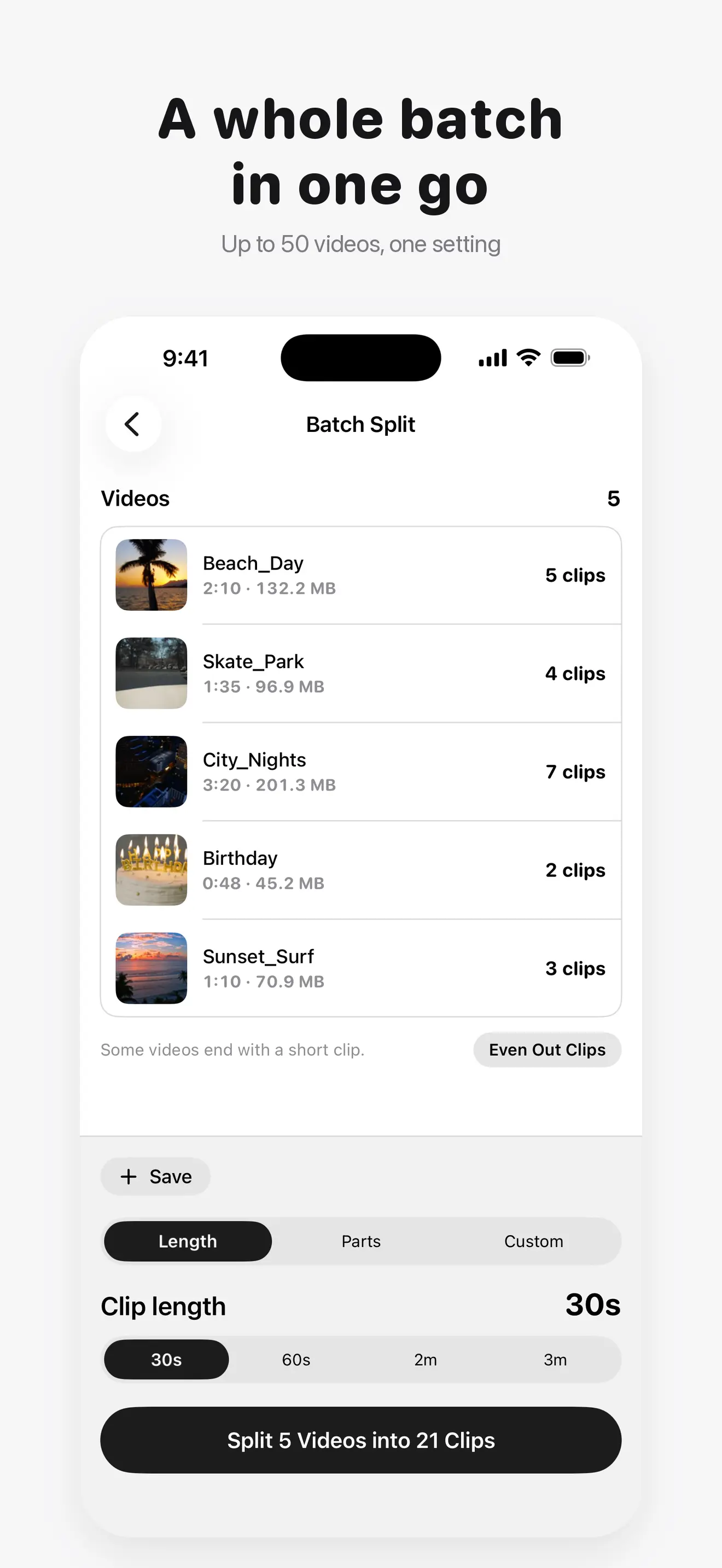
- Creators cutting several videos to the same length at once
- Anyone breaking a long recording into pieces they can find again
100% On-Device Privacy
Your videos never leave your device. There are no uploads, no cloud, and no account. The app contains no analytics, no telemetry, and no tracking SDKs of any kind. It works completely offline, and the only network use anywhere in the app is the App Store purchase itself, plus iOS downloading a video you picked if it is stored in iCloud.
Free and Pro
Free covers the whole job for one video at a time: every standard length, a number of parts and Even Out, in full quality and with no watermark. Pro is a one-time purchase that adds Batch Split for up to 50 videos at once, a custom length, manual cut points, saved presets, and Save Into Albums. There is no subscription and nothing renews.
Frequently Asked Questions
Does it work offline? ▼
Yes. All splitting happens on your device and no internet connection is needed, unless the video you pick is stored in iCloud and has to download first.
Are my videos uploaded anywhere? ▼
No. Your videos never leave your device. There is no server involved at any step.
Do the clips lose quality? ▼
No. Clips are copied from your video, not re-encoded, so they keep its codec, HDR and bitrate.
Can I split a video into 60 second clips? ▼
Yes. Pick 60s and the app shows every clip before you export. Each frame lands in exactly one clip.
What about the short leftover at the end? ▼
Turn on Even Out and the video is split into equal clips instead, none longer than the length you chose.
Is there a watermark? ▼
No. There is no watermark on any clip, free or Pro.
Can I split several videos at once? ▼
Yes, with Pro. Batch Split takes up to 50 videos with one setting for all.
Is Pro a subscription? ▼
No. Pro is a single one-time purchase. There is no renewal and no recurring charge.