

GPS Timestamp Camera & Video
Photo Proof, Date & Time Stamp
Screenshots
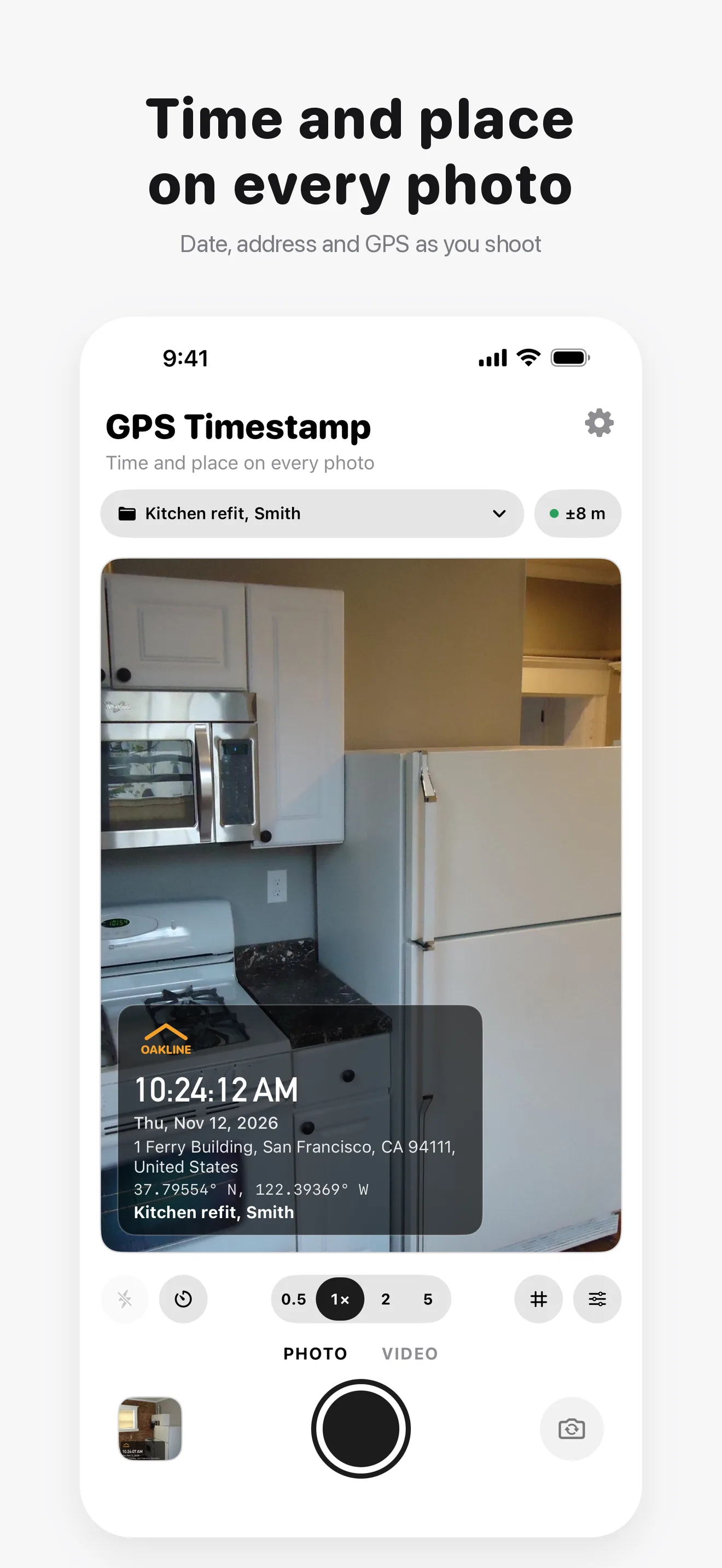
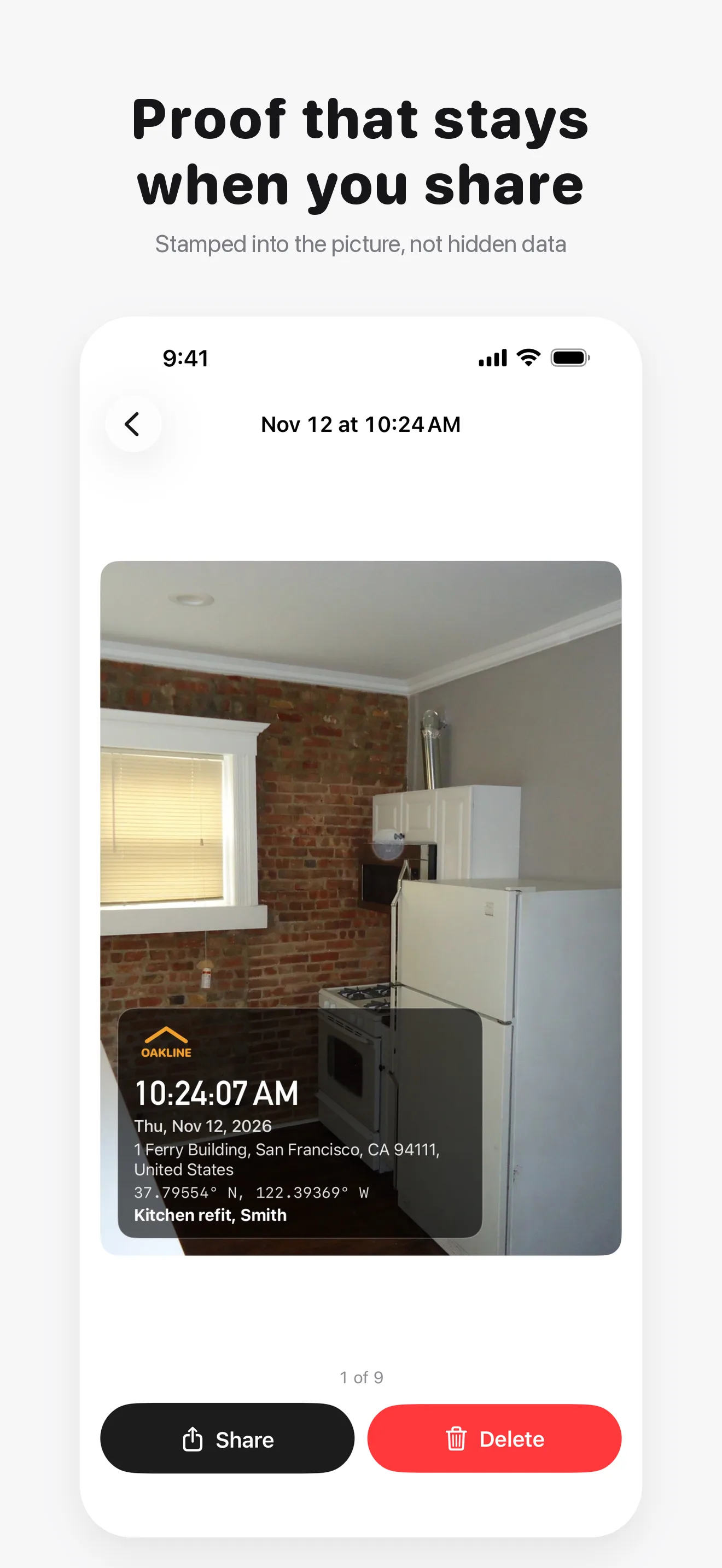
GPS Timestamp Camera & Video is an iPhone and iPad camera that adds the date, time, street address and GPS coordinates to your photos and videos as you take them. The stamp is written into the picture itself, so it stays visible when the photo is sent through WhatsApp, email or an upload form that strips hidden data.
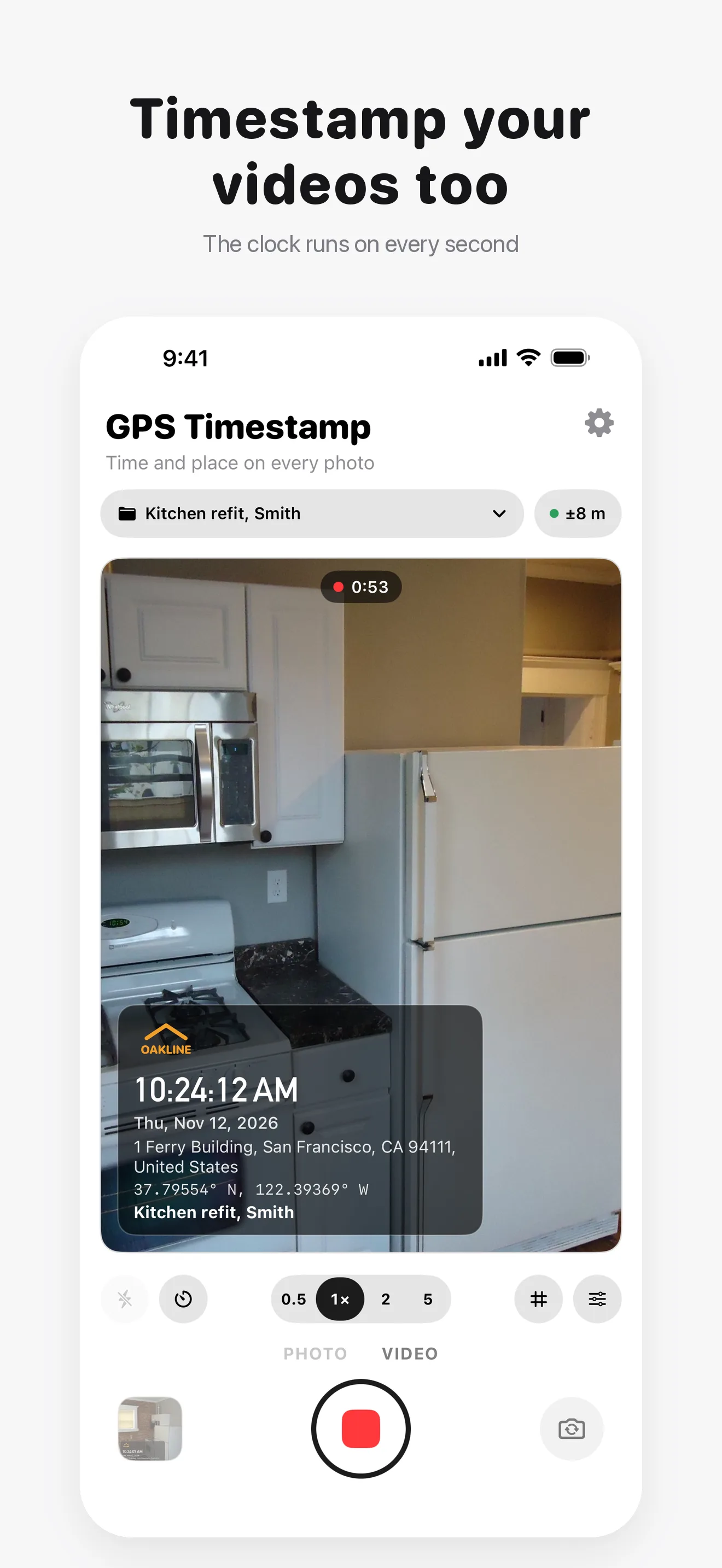
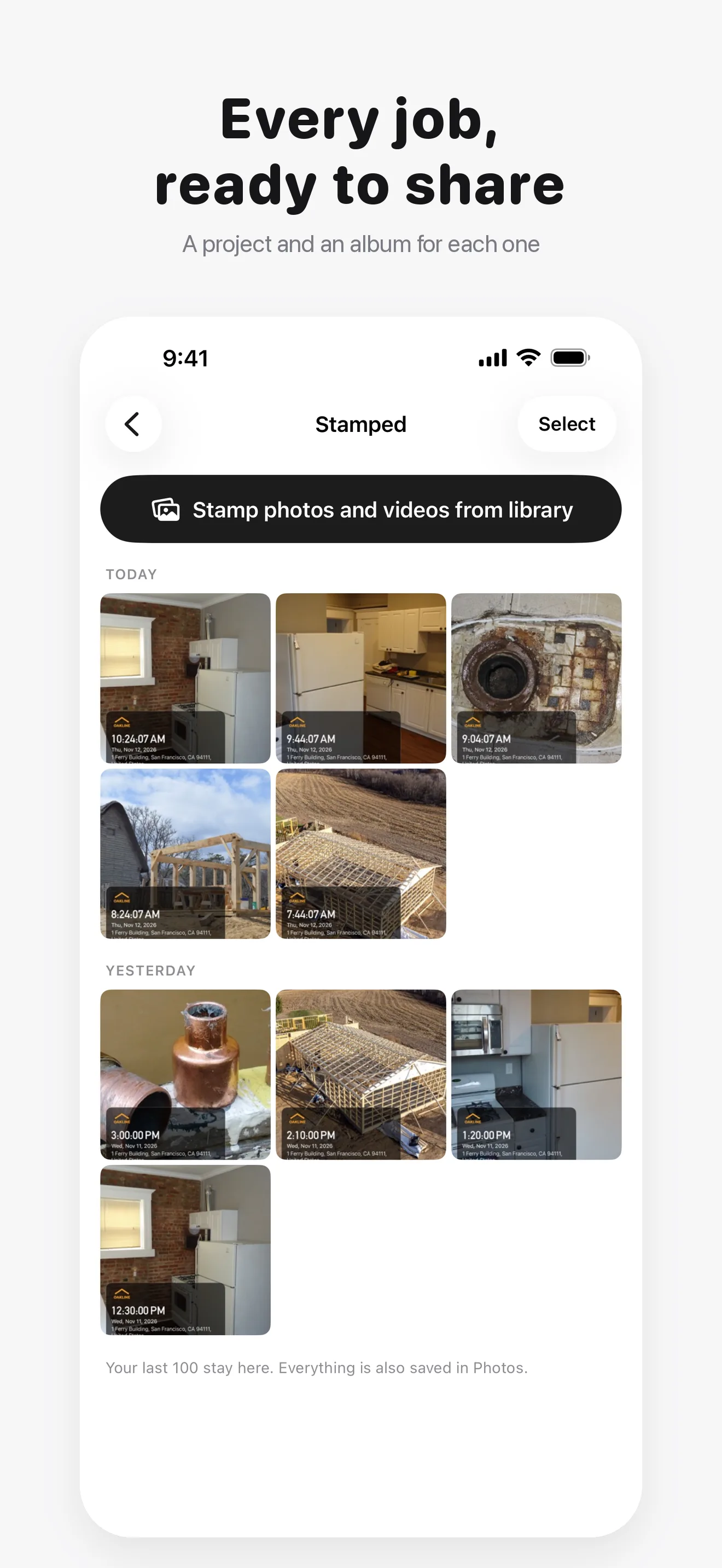
It is made for proof of work: contractors, inspectors, property managers, delivery drivers and field teams. Add a project name and your company logo, keep every job in its own album, and stamp video with a clock that runs on every second.
"The date, time and place, stamped onto every photo and video."
What Goes on the Stamp
- Date and time to the second, from the moment you press the shutter
- Street address, looked up from your position
- GPS coordinates, with the accuracy shown on screen
- A project name, such as "Kitchen refit, Smith"
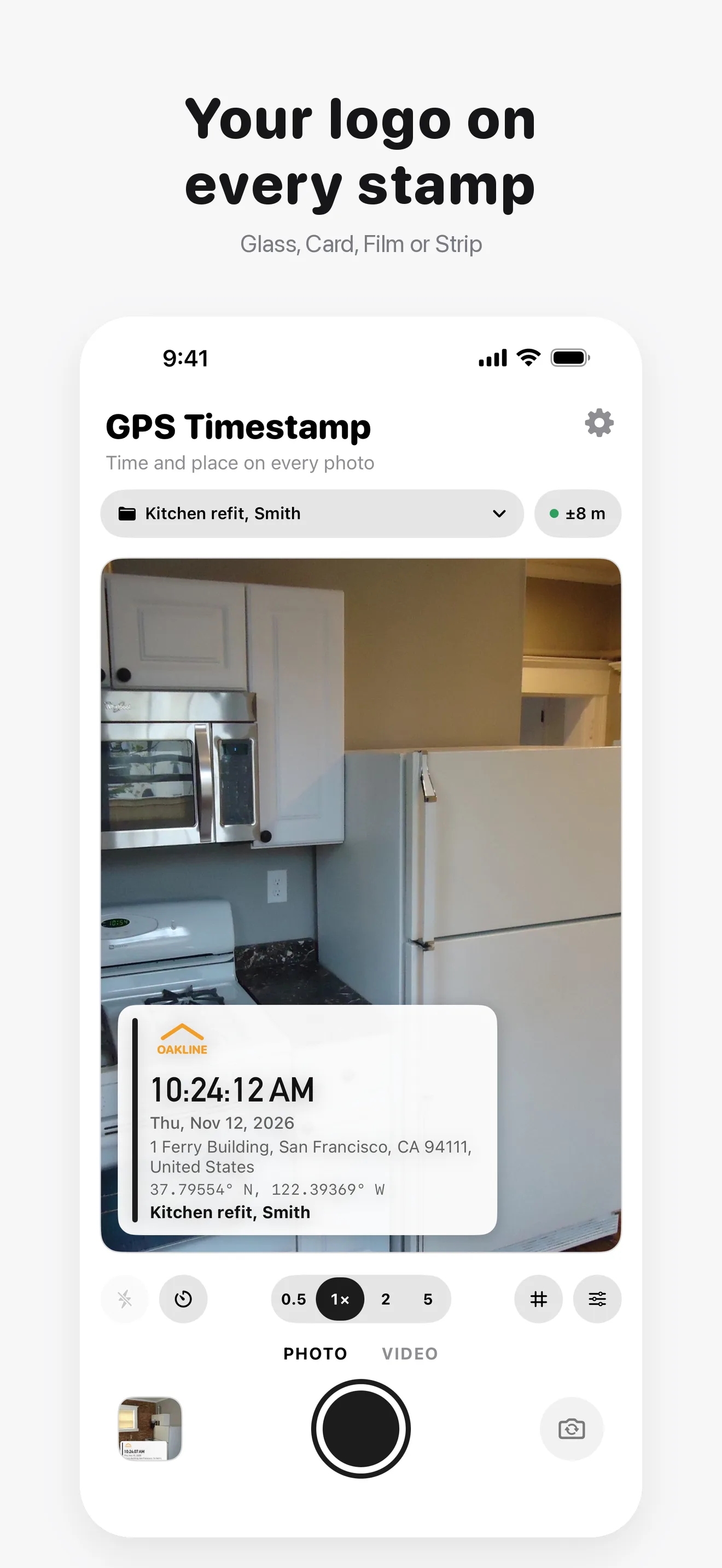
- Your company logo (Pro)
Photo and Video
- Photos at full camera resolution, with the GPS position in their location data too
- Stamped video: the clock ticks on every second, for up to 10 minutes (Pro)
- Stamp photos and videos you already took, each with its own time and place (Pro)
- Glass, Card, Film and Strip styles, in either bottom corner or at the top
Who It Is For
- Construction progress and site inspections
- Rental move-in and move-out, insurance claims and damage reports
- Proof of delivery and field service reports
- Cleaning and maintenance jobs
100% On-Device Privacy
Your photos and videos never leave your device. There are no uploads, no cloud, and no account. The app contains no analytics, no telemetry, and no tracking SDKs of any kind. To show a street address, your GPS position is sent to Apple's Maps service, never to us; offline, the coordinates are shown instead.
Free and Pro
Free takes stamped photos with the full stamp: date, time, address, GPS coordinates and a project name, in the Glass style, with a small watermark. Pro is a one-time purchase, with no subscription, that adds stamped video, stamping photos and videos from your library, your company logo, unlimited projects each with its own album, the Card, Film and Strip styles, more fonts, and no watermark.
Frequently Asked Questions
How do I add the date, time and location to a photo on iPhone? ▼
Take it with GPS Timestamp. The date, time, address and GPS coordinates are stamped on as you shoot, and the photo is saved to Photos.
Does the timestamp stay visible after I send the photo? ▼
Yes. The stamp is part of the image itself, so messaging apps and upload forms that strip metadata cannot remove it.
Can I add a timestamp to a video? ▼
Yes, with Pro. The time ticks on every second of the video, and the address and coordinates stay on screen.
Can I add the date and location to photos I already took? ▼
Yes, with Pro. Each one keeps its own original date, time and place.
Does it work offline? ▼
Yes. Time and GPS coordinates need no internet. The street address does; without it, the coordinates are shown instead.
Is it a subscription? ▼
No. Pro is a one-time purchase. Without Pro, photos are stamped with no time limit.
Are my photos uploaded anywhere? ▼
No. Photos are stamped on your iPhone and never uploaded. Only your GPS position is sent to Apple Maps to look up the address.