PDF Metadata Remover & Cleaner
Remove Hidden Data, EXIF & GPS
Screenshots
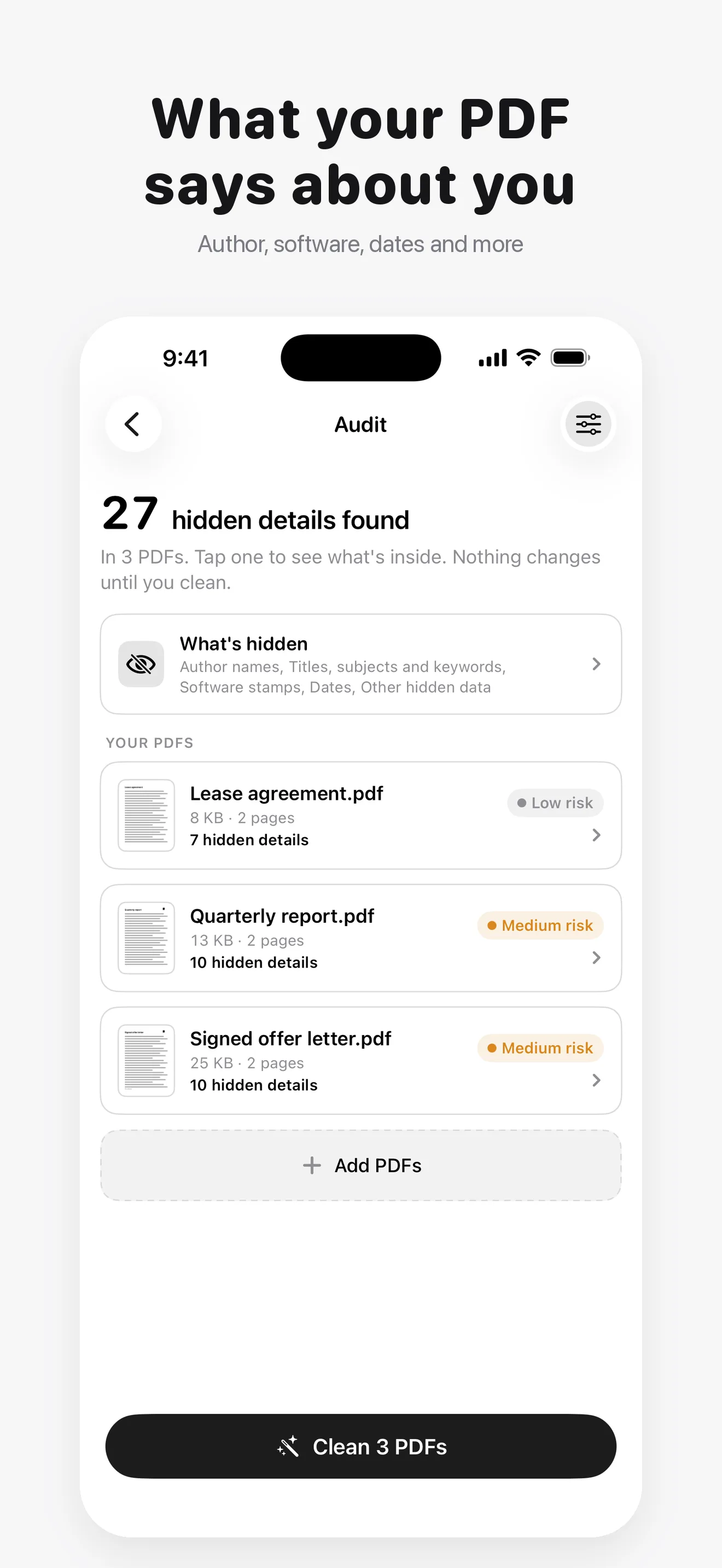
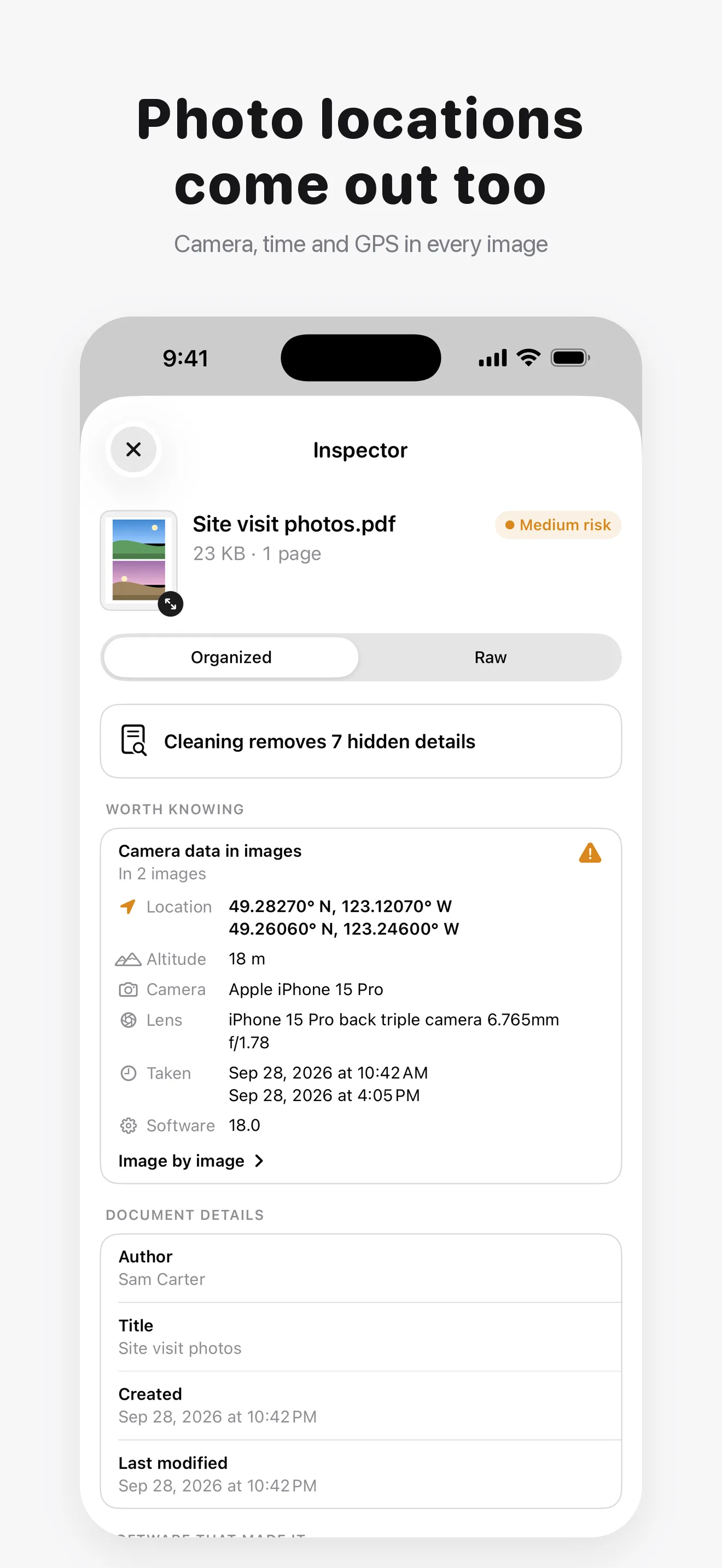
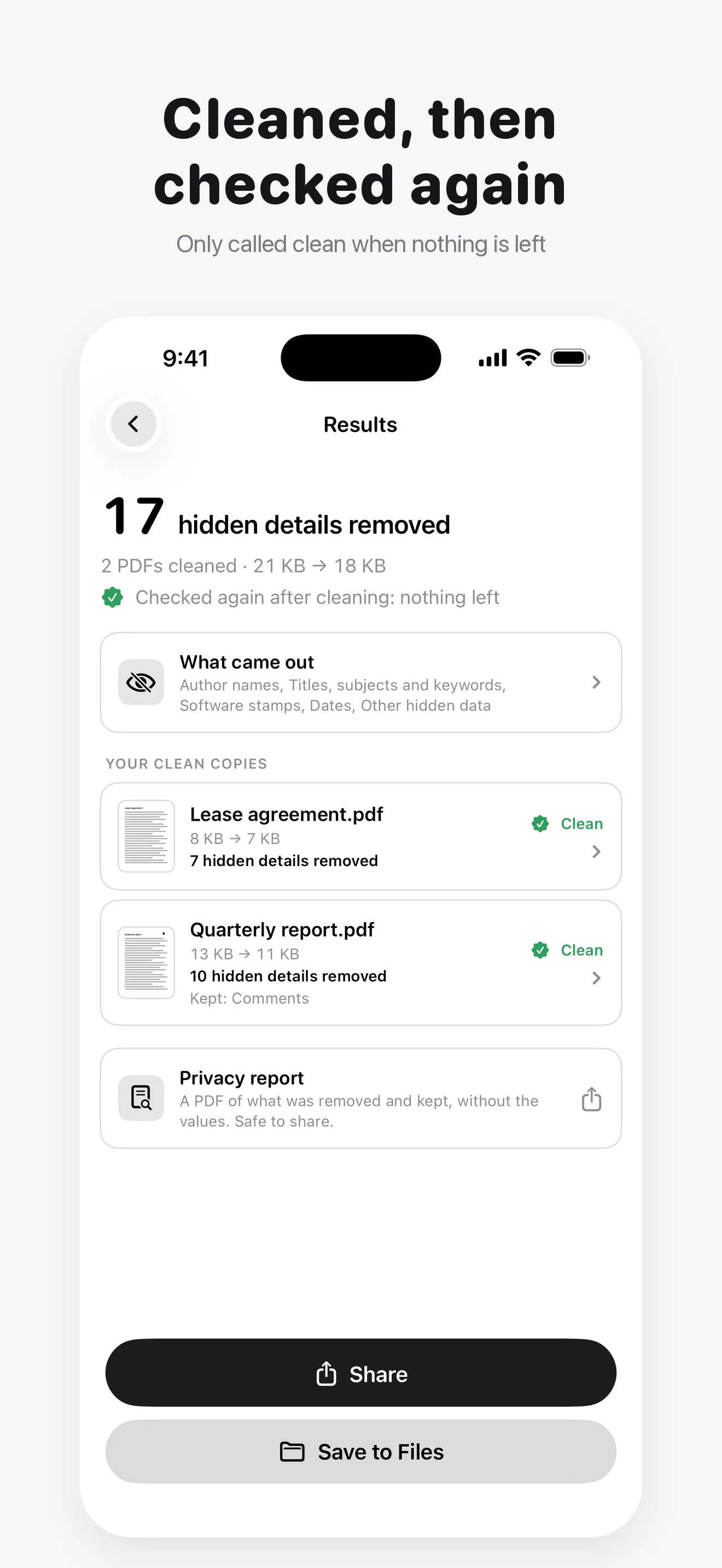
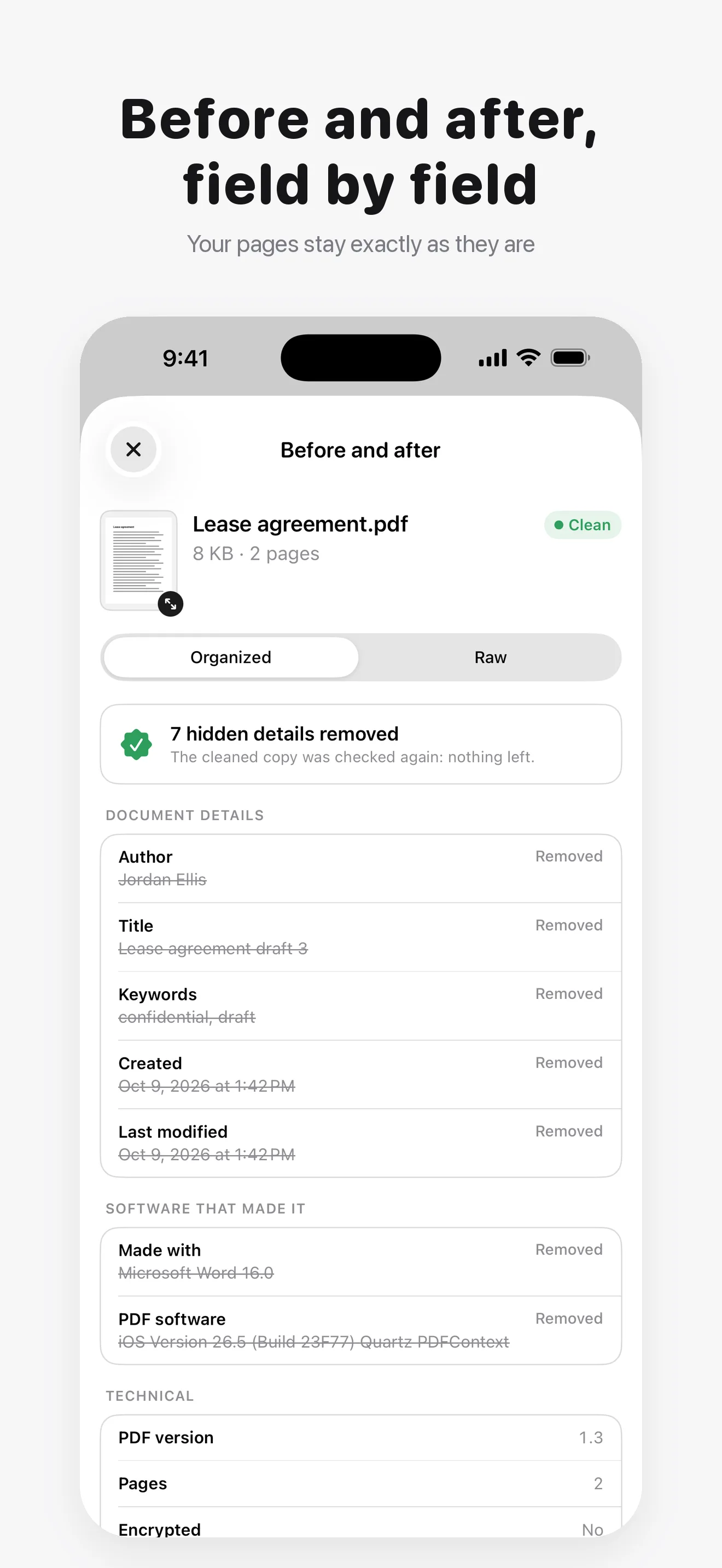
PDF Metadata Remover & Cleaner is an iPhone and iPad app that shows the hidden details inside a PDF and removes them before you share it: the author's name, the software that made the file, dates, XMP metadata, and the camera and GPS location in photos placed in the PDF. Your pages stay exactly as they are, and the original is never changed.
Every cleaned copy is read again and is only called clean when nothing is left. Clean PDFs from Files, from the share sheet in Mail or Files, or with Shortcuts. Everything runs 100% on device.
"See what your PDF says about you, then remove it."
What It Removes
- Author, title, subject, keywords, creator and producer app, dates
- XMP metadata, edit history and content credentials (C2PA)
- Comment authors and dates, while the comments stay
- Scripts, automatic actions, attachments and hidden layers
- EXIF data and GPS locations in embedded photos
How It Works
- Choose a PDF from Files, or share one from Mail or Files
- See every hidden detail it carries, with its risk level
- Tap Clean: the copy is checked again before it is called clean
- Share the clean copy or save it to Files
Who It Is For
- Anyone sending a contract, CV or invoice without their name in the file
- Lawyers, HR teams and journalists sharing documents
- Anyone removing a home location from photos in a PDF report
- Anyone checking what a PDF they received says about its author
100% On-Device Privacy
Your PDFs never leave your device. There are no uploads, no cloud, and no account. The app contains no analytics, no telemetry, and no tracking SDKs of any kind. It works completely offline, and the only network use anywhere in the app is the App Store purchase itself. Passwords for protected PDFs are used only to open them and are never stored.
Free and Pro
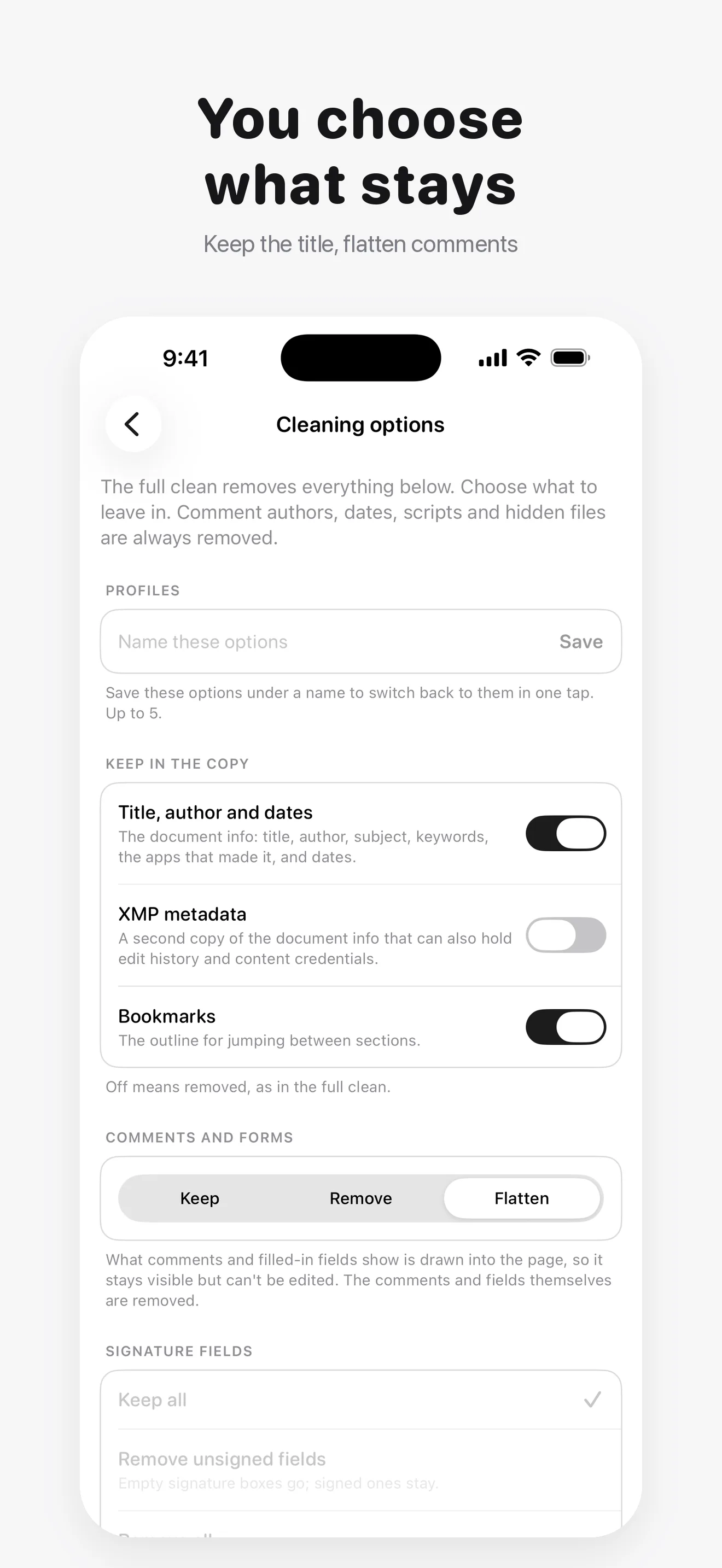
Free cleans one PDF a day with the full clean, and shows every hidden detail in any PDF first, including camera data and GPS locations in photos, password-protected PDFs and a before and after view. Pro is a monthly or yearly subscription that adds unlimited cleaning, batches of up to 50 PDFs, choosing what stays (keep the title or bookmarks, clear form values, remove or flatten comments and forms), removing a password or turning pages into images, a privacy report, every raw metadata field, and saved profiles, file names and folders. Cancel any time in your Apple Account settings.
Frequently Asked Questions
How do I remove metadata from a PDF on iPhone? ▼
Open the PDF in the app and tap Clean. You get a clean copy to share or save, and the original stays untouched.
How do I remove the author name from a PDF? ▼
Every clean removes the author, along with the title, the software that made the file and the dates.
Can I see a PDF's metadata without changing it? ▼
Yes. Every hidden detail is shown before anything changes, and nothing changes until you tap Clean.
Does it remove the location from photos inside a PDF? ▼
Yes. Camera data and GPS locations in embedded photos are listed and removed.
Will my PDF look different after cleaning? ▼
No. Text, images and layout stay the same. Accessibility tags stay too, so screen readers still work.
Does it work with password-protected PDFs? ▼
Yes. Enter the password and the clean copy keeps its protection, or remove the password with Pro. The password is never stored.
Is it free? ▼
Yes, one PDF a day with the full clean. Pro, monthly or yearly, removes the limit and adds batches and options.
Are my PDFs uploaded anywhere? ▼
No. Every PDF is read and cleaned on your device, even offline. There is no server involved at any step.