Invoice Maker: PDF & Estimate
Invoice, Estimate & Receipt Generator
Screenshots
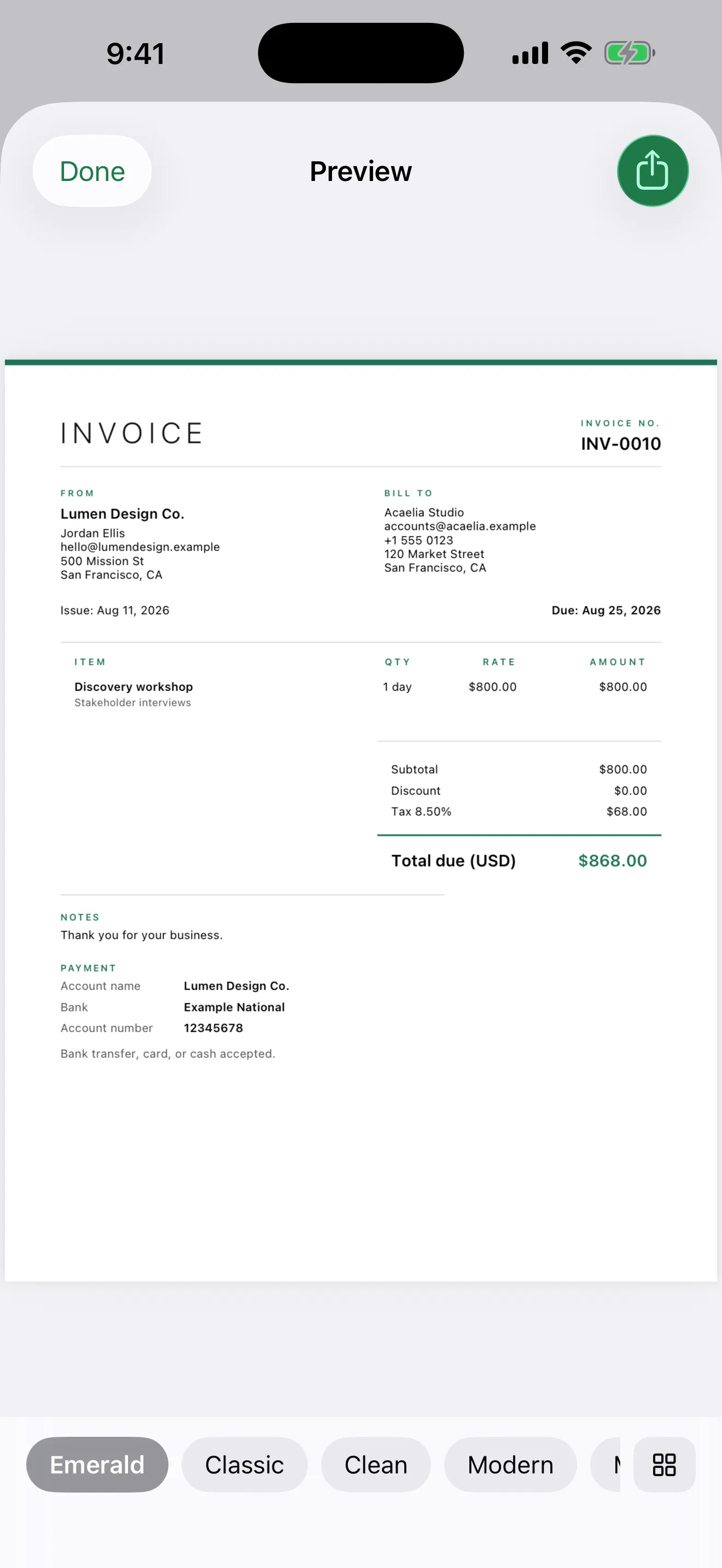
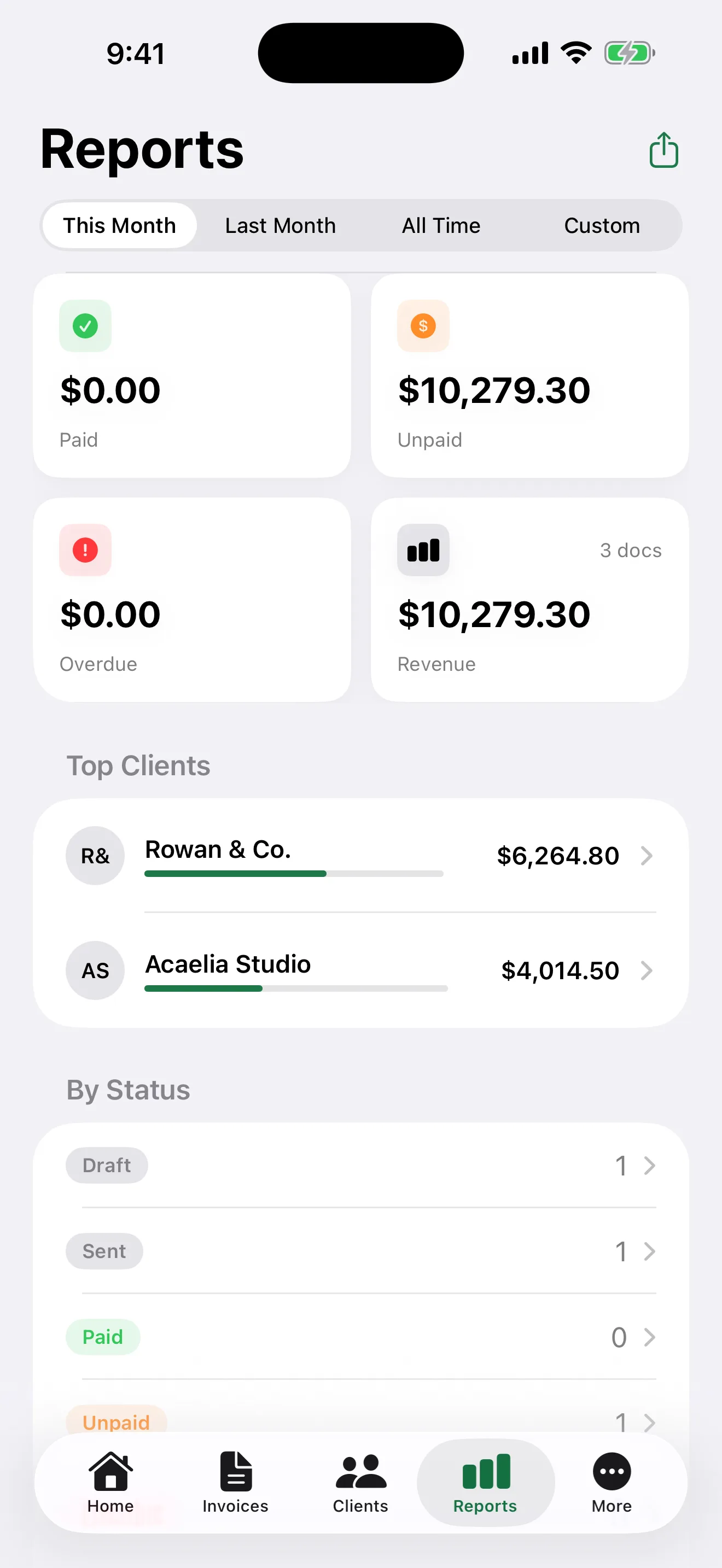
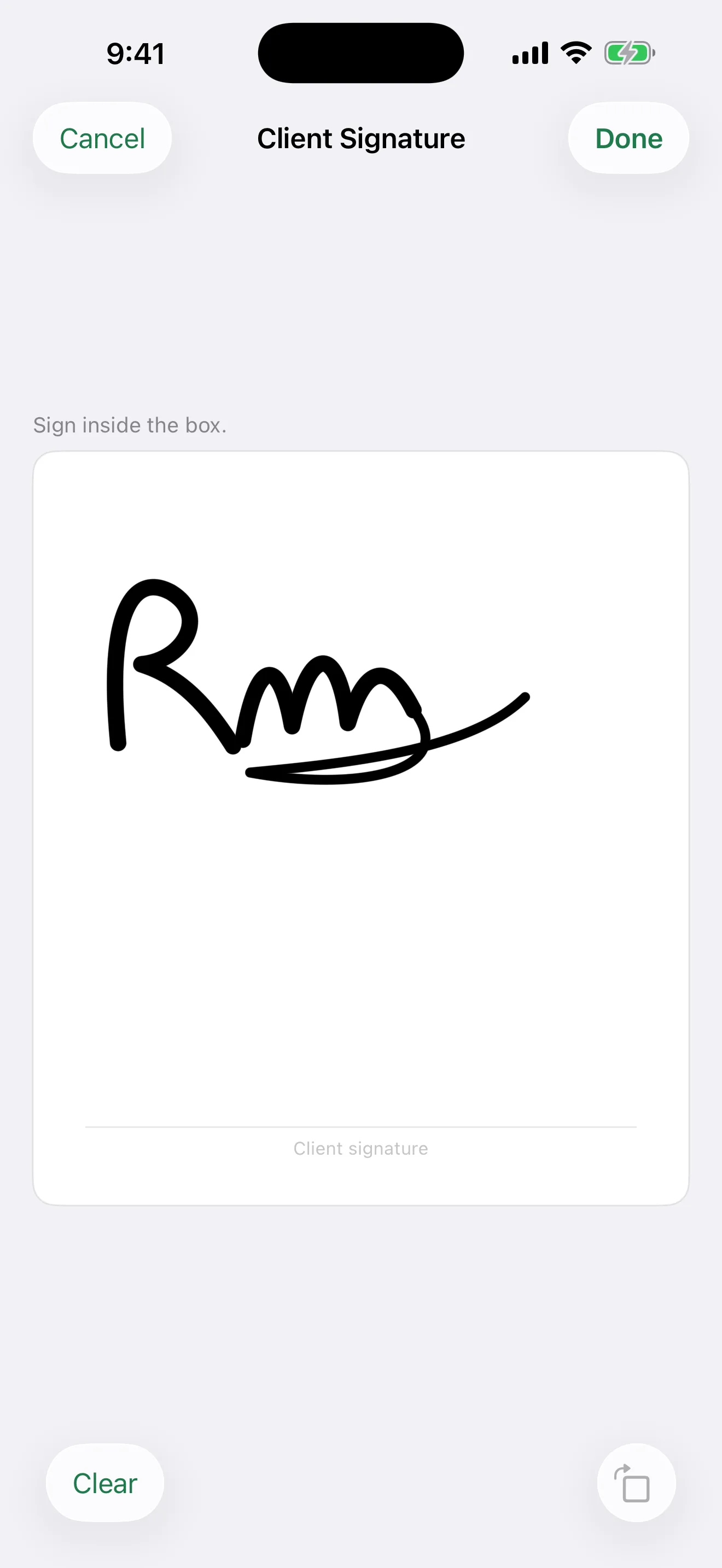
Invoice Maker: PDF & Estimate lets freelancers, contractors and small businesses create, send and track invoices from an iPhone or iPad, with no account and no sign-up. Pick a client, add your line items, and share a professional PDF in under a minute.
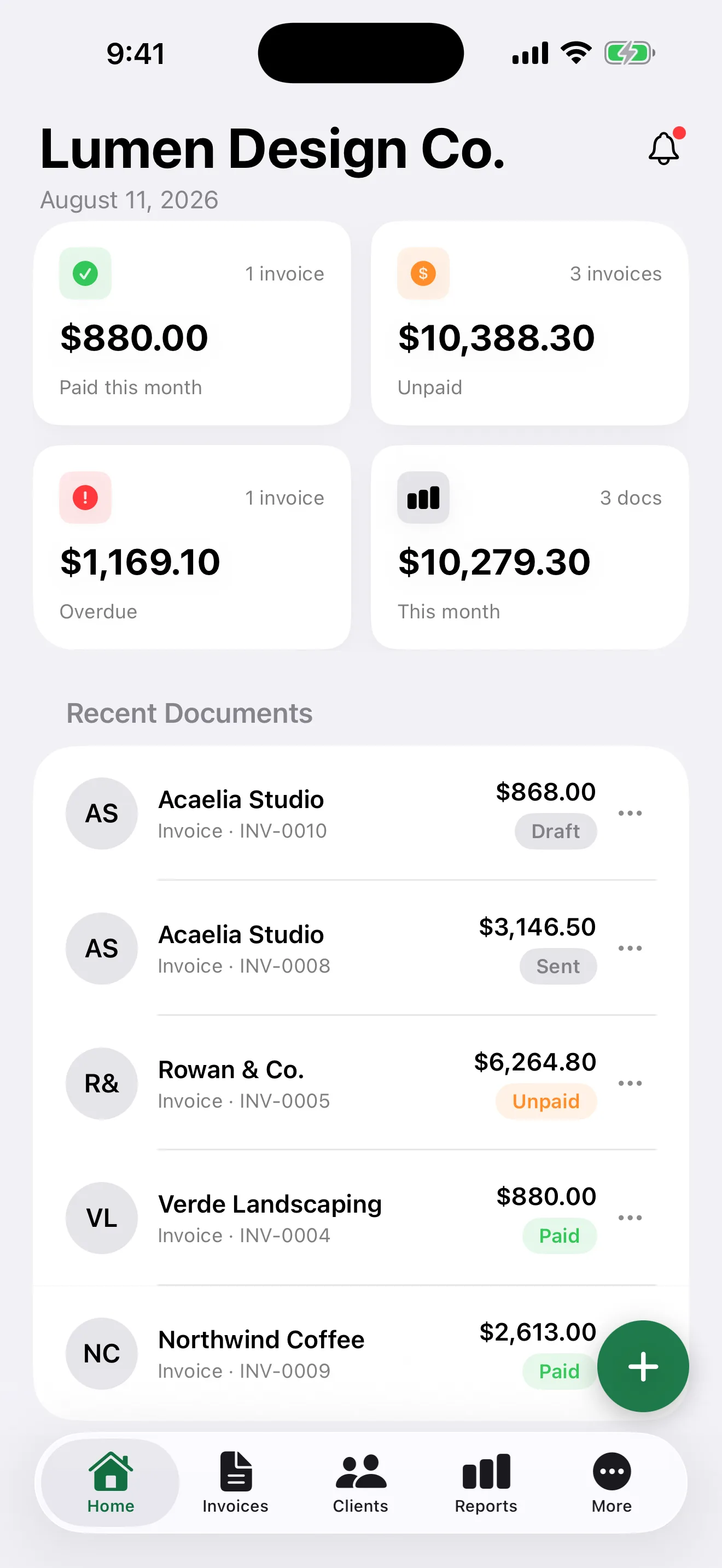
It is built for the whole billing cycle, not just the document. Estimates convert into invoices and invoices into receipts in one tap, partial payments are logged against a running balance, overdue invoices surface on the dashboard, and a reminder email goes out with the PDF already attached and the amount owed already written.
Your client can sign for the work on your phone, on the spot, and the signature prints on the PDF. Add your own payment link and it prints as a tappable line and a QR code they can scan, so getting paid does not depend on them typing anything.
Everything works offline. Your data lives on your device and backs up to your own iCloud account, so there is no server of ours holding your clients or your revenue.
"Get the invoice out, then get paid."
Create and Send
- Invoices, estimates, and receipts with automatic numbering
- 9 PDF templates, from classic to modern banner layouts
- Your logo and signature on every document
- See the exact PDF before you send it, always free
- Email with the PDF attached, or share to Messages, AirDrop, or Files
- Start from a service template or duplicate a past document
Track and Get Paid
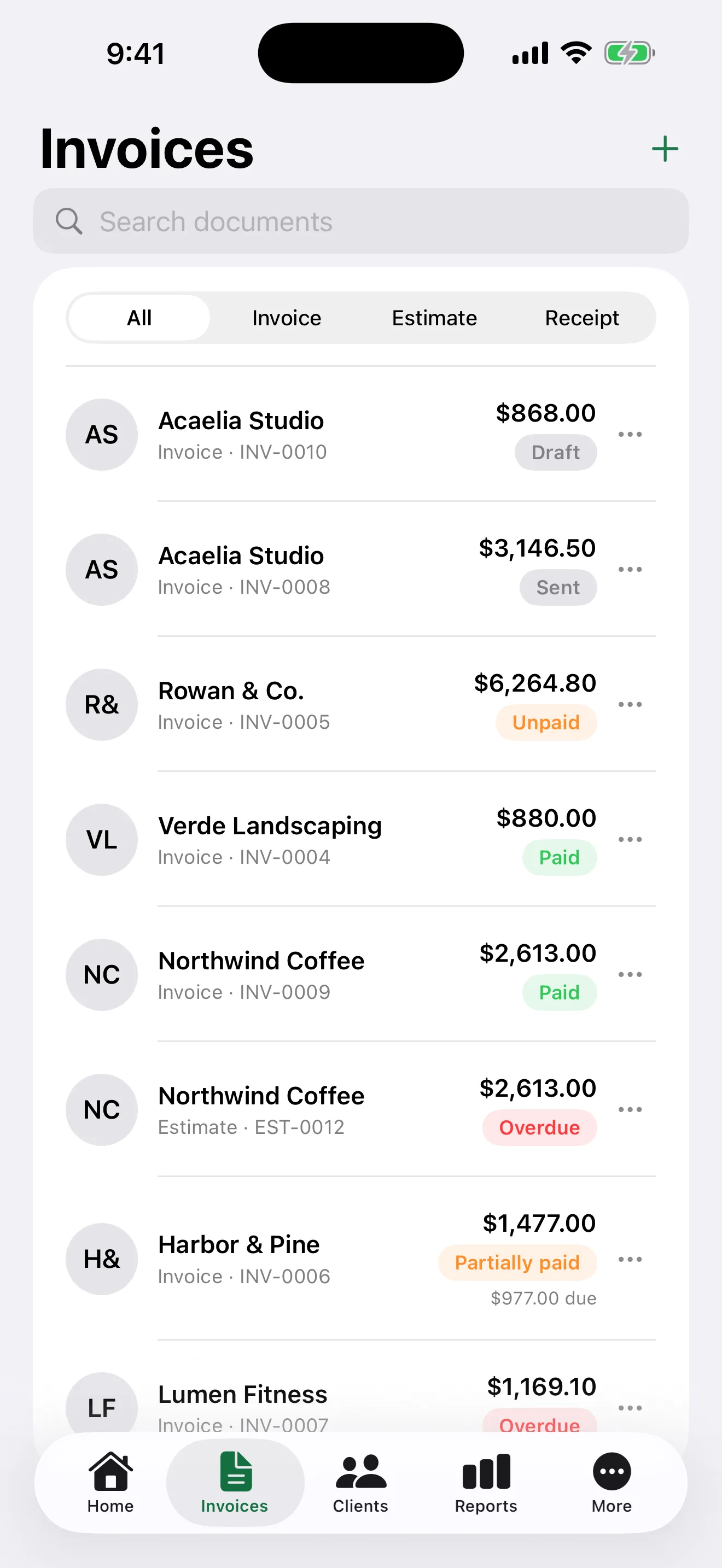
- Paid, unpaid, partially paid, and overdue at a glance
- Log partial payments and keep the full payment history
- Reminders that carry the invoice and the outstanding balance
- Overdue notifications so nothing slips
- Outstanding balance per client
- Convert an estimate to an invoice, or an invoice to a receipt, in one tap
Know Your Numbers
- Dashboard for paid, unpaid, overdue, and monthly revenue
- Reports by period with a top clients breakdown
- Tax report PDF grouped by rate and currency
- CSV export for your accountant
- Multi-currency, kept separate per currency rather than summed
- Deleted documents wait 30 days in Recently Deleted
100% On-Device Privacy
Your invoices, clients, and payments stay on your device and back up only to your own iCloud account, in a private container we cannot read. There is no account, no analytics, no tracking, and no advertising. The app makes no network calls except to your iCloud and to Apple for purchases, so your revenue and your client list never reach us.
Free and Pro
The free app is a real invoicing app, not a trial: unlimited invoices, estimates, receipts, clients, payments, reports, CSV export, and iCloud backup, with no ads and no account. Free includes 5 new invoice PDFs per month, 3 PDF templates, one business, and one recurring invoice. Previewing a PDF is unlimited, and re-sending one you already made costs nothing unless you changed the document. Invoice Maker Pro removes those limits, with all 9 templates, unlimited businesses and recurring invoices, and custom numbering prefixes, as a monthly or yearly subscription.
Frequently Asked Questions
Does it work without internet? ▼
Yes. Creating documents, generating PDFs, and reporting all work fully offline. Only iCloud backup and purchases need a connection.
Do I need an account? ▼
No. There is no sign-up, no login, and no email required. Open the app and start invoicing.
Where is my invoice data stored? ▼
On your device, backed up to your own iCloud account. Nothing is sent to our servers, and we cannot see your invoices or clients.
How many invoices can I make for free? ▼
Unlimited. There is no cap on invoices, estimates, receipts, clients, or reports. What the free tier limits is new invoice PDFs, at 5 per month, and previewing is always free.
Can I send estimates and quotes too? ▼
Yes. Estimates, invoices, and receipts are all supported, and an estimate converts into an invoice in one tap. The original locks as an audit record and links to its replacement.
Can I use it for more than one business? ▼
One business is free. Pro allows unlimited businesses, each with its own logo, currency, and numbering.
Does it handle more than one currency? ▼
Yes. Totals are tracked separately per currency and never summed across them, and the tax report groups by rate and currency.
I deleted an invoice by mistake. Can I get it back? ▼
Yes. Deleted documents and clients stay in Recently Deleted for 30 days and can be restored from there.
What happens if I stop paying for Pro? ▼
Your data stays yours. Every document, client, and payment remains readable and exportable, and Pro limits apply only to creating new things.
Can my client sign the invoice? ▼
Yes. Hand them your phone and they sign with a finger, and the signature prints on the PDF with the date. It is free for everyone, and collecting one does not use a PDF generation.
Can clients pay through the app? ▼
Not directly. The app never handles money and takes no payment details. You add your own payment link, such as PayPal.me or a Stripe link, and it prints on unpaid invoices as a tappable line and a QR code your client can scan.